Yahoo!検索拡張機能をパワーアップさせて、「SEO調査(ライバルチェック)」に非常に便利なツールに進化させましょう。
1回のクリックで、通常の検索だけでなく、「タイトルにキーワードが含まれるページ(intitle)」や「タイトルにキーワードがすべて含まれるページ(allintitle)」の検索結果もまとめて開くようにします。
フォルダ名は yahoo-seo-panel などに変更して、ファイルを作成してください。
manifest.json (設定ファイル)
{
  "manifest_version": 3,
  "name": "Yahoo SEO検索",
  "version": "1.0",
  "permissions": [
    "sidePanel"
  ],
  "action": {
    "default_title": "SEO検索パネル"
  },
  "background": {
    "service_worker": "background.js"
  },
  "side_panel": {
    "default_path": "sidepanel.html"
  }
}
background.js (サービスワーカー)
chrome.runtime.onInstalled.addListener(() => {
  chrome.sidePanel.setPanelBehavior({ openPanelOnActionClick: true });
});
sidepanel.html (表示画面)
<!DOCTYPE html>
<html lang="ja">
<head>
<meta charset="utf-8">
<title>SEO Search</title>
<style>
body { padding: 10px; font-family: sans-serif; }
input { width: 95%; padding: 8px; margin-bottom: 10px; }
button { width: 100%; padding: 10px; cursor: pointer; background-color: #ff0033; color: white; font-weight: bold; border: none; }
p { font-size: 12px; color: #666; margin-top: 5px; }
</style>
</head>
<body>
<h3>Yahoo! SEO一括検索</h3>
<input type="text" id="keyword-input" placeholder="キーワードを入力...">
<button id="search-btn">3つのタブで検索</button>
<p>※通常・intitle・allintitleの結果を同時に開きます</p>
<script src="sidepanel.js"></script>
</body>
</html>
1. UIの微調整
ボタンのラベルを「3つのタブで検索」に変更し、何が起こるかわかるように説明文(
タグ)を追加しました。
sidepanel.js (ロジック)
document.getElementById("search-btn").addEventListener("click", function() {
  const keyword = document.getElementById("keyword-input").value;

  if (!keyword) {
      return;
  }

  const urls = [
    `https://search.yahoo.co.jp/search?p=${encodeURIComponent(keyword)}`,
    `https://search.yahoo.co.jp/search?p=${encodeURIComponent("allintitle:" + keyword)}`,
    `https://search.yahoo.co.jp/search?p=${encodeURIComponent("intitle:" + keyword)}`
  ];

  urls.forEach(function(url) {
    chrome.tabs.create({ url: url, active: false });
  });
});
1. document.getElementById(“search-btn”).addEventListener
「3つのタブで検索」ボタンがクリックされた時に、以下の処理を開始します。
2. const keyword = document.getElementById(“keyword-input”).value
テキストボックスに入力されたキーワードを取得します。もし未入力の場合は、ここで処理を中断(return)します。
3. const urls = [ … ]
開きたい3種類のURLを作成し、「配列(リスト)」としてまとめています。
- 1つ目:通常のキーワード検索
- 2つ目:
allintitle:を付けた検索(入力した単語がすべてタイトルに含まれるページ) - 3つ目:
intitle:を付けた検索(入力した単語のいずれかがタイトルに含まれるページ)
このようにSEO調査に必要な検索コマンドを、プログラム内で自動的にキーワードと合体させています。
4. urls.forEach(function(url) { … })
上で作ったURLのリストを、上から順番に一つずつ取り出して処理するための命令(繰り返し文)です。3つのURLがあるので、中の処理が3回実行されます。
5. chrome.tabs.create({ url: url, active: false })
取り出したURLを新しいタブで開きます。
active: false の設定は「タブは開くけれど、画面は切り替えない(裏側で開く)」という動きになります。これがないと、タブが開くたびに画面がチカチカと切り替わってしまい、操作しづらくなるのを防いでいます。
実行
1. 拡張機能をインストールします。
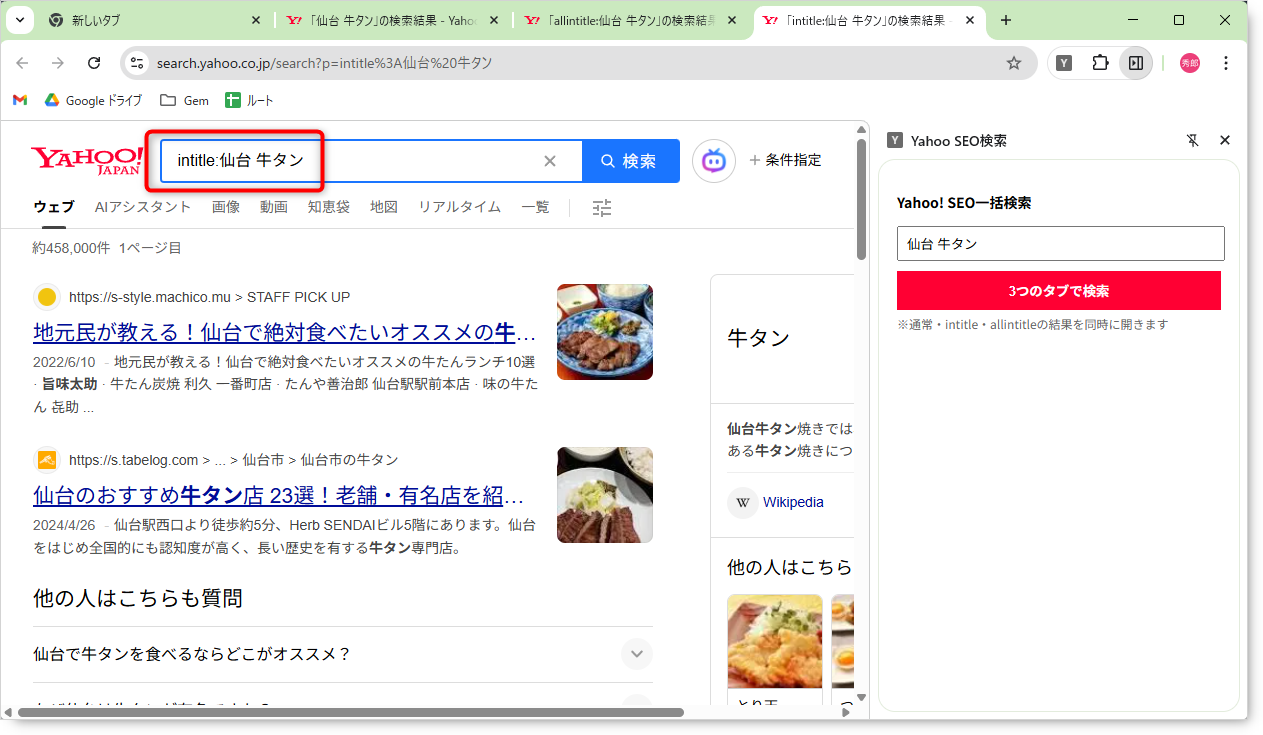
2. サイドパネルでキーワード(例:「仙台 牛タン」)を入力してボタンを押します。
3. ブラウザの上部に、一気に3つのタブが開きます。
4. それぞれのタブを見て、「通常検索」「allintitle検索」「intitle検索」になっているか確認してください。
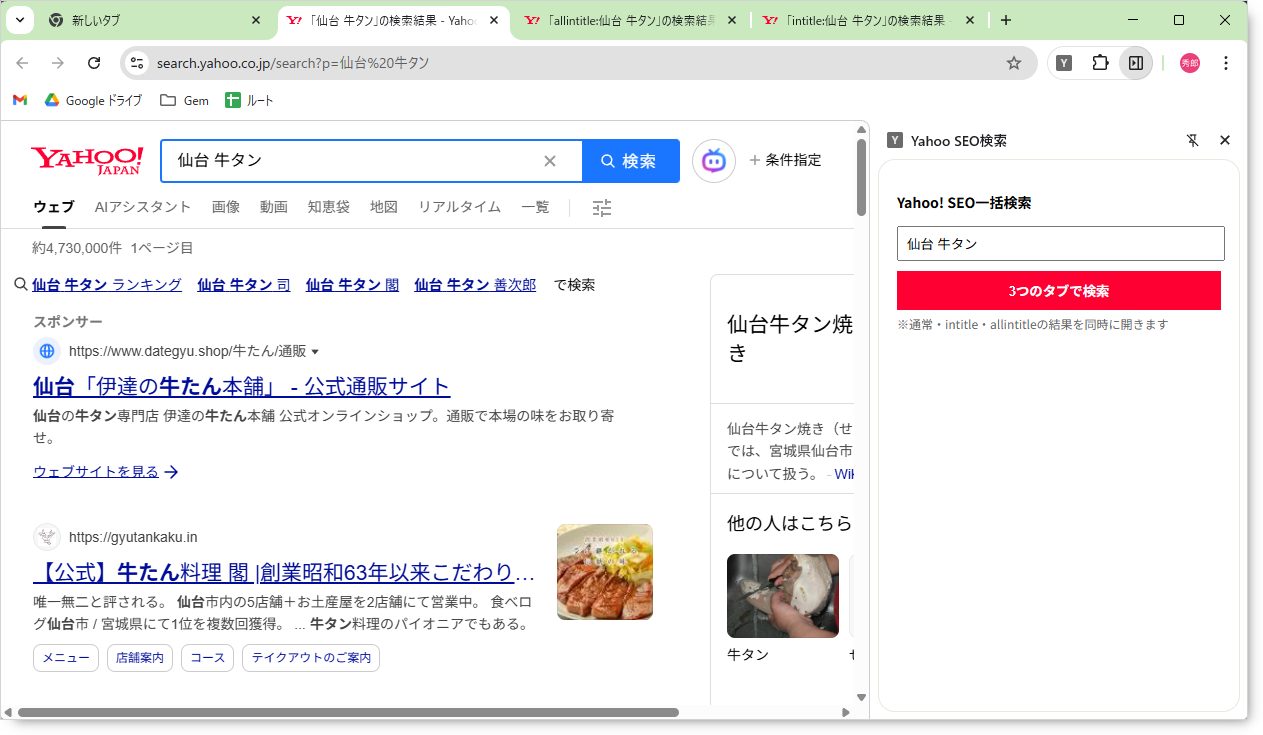
■通常検索
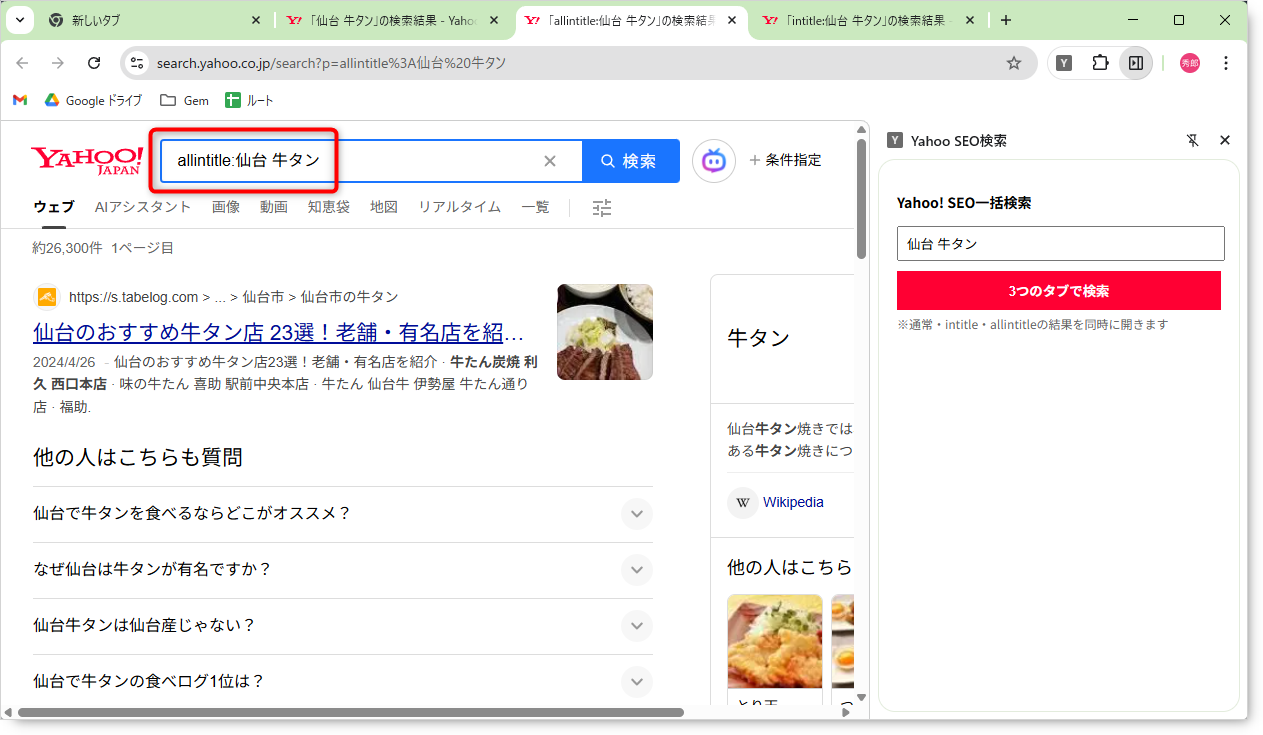
■allintitle:
■intitle: